| File type | APK |
|---|---|
| Version | 3.12 |
| Publisher | Nitinscreation |
| Release date | Sep 27, 2020 |
| Date added | Sep 27, 2020 |
| Os requirements | Android |
| Requirements | Requires Android 4.2 and up |
| Total downloads | 0 |
| Price | Free |
Description
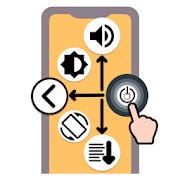
Assistive button creates possibility of 15 different gestures by combining tap, swipe and hold gestures.
By doing these gestures, you can do the functionalities of navigation bar, volume and power button and other phone functions.
List of gestures and associated functions:
Tap/Press Gestures
Single tap > Home button of navigation bar
Double tap > Recent button of navigation bar
Long press > Lock the Screen
Swipe Down Gestures
Swipe down > Open Notification Panel
Tap and swipe down > Open Quick Settings
Swipe down and hold > Decrease Sound
Tap and swipe down and hold > Decrease Brightness
Swipe Up Gestures
Swipe up > Open Category Apps
Tap and swipe up > Open Power Dialog
Swipe up and hold > Increase Sound
Tap and swipe up and hold > Increase Brightness
Swipe to Center Gestures
Swipe to center > Back button of navigation bar
Tap and swipe to center > Toggle Split Screen
Swipe to center and hold > Toggle Auto Rotate
Tap and swipe to center and hold > Toggle Brightness Mode
More features
Customise Assistive button appearance.
Turn screen on using proximity sensor.
Keyboard sensitive: Assistive button will move up when keyboard opens.
Note
- This app uses the Device Administrator permission.
- This app uses Accessibility services.


